Page 2 of 2
Re: What's your current hardware build?
Posted: Fri May 26, 2023 10:37 am
by g0tht3ch
TimeSpy results :

- ts1.PNG (1.19 MiB) Viewed 41520 times

- ts2.PNG (318.65 KiB) Viewed 41520 times
Re: What's your current hardware build?
Posted: Fri May 26, 2023 10:50 am
by g0tht3ch
...and Cinebench results (18 passes completed)

- cb1.PNG (55.19 KiB) Viewed 41519 times
Re: What's your current hardware build?
Posted: Fri May 26, 2023 10:58 am
by g0tht3ch
And, from UserBenchMark :
https://www.userbenchmark.com/UserRun/61721212
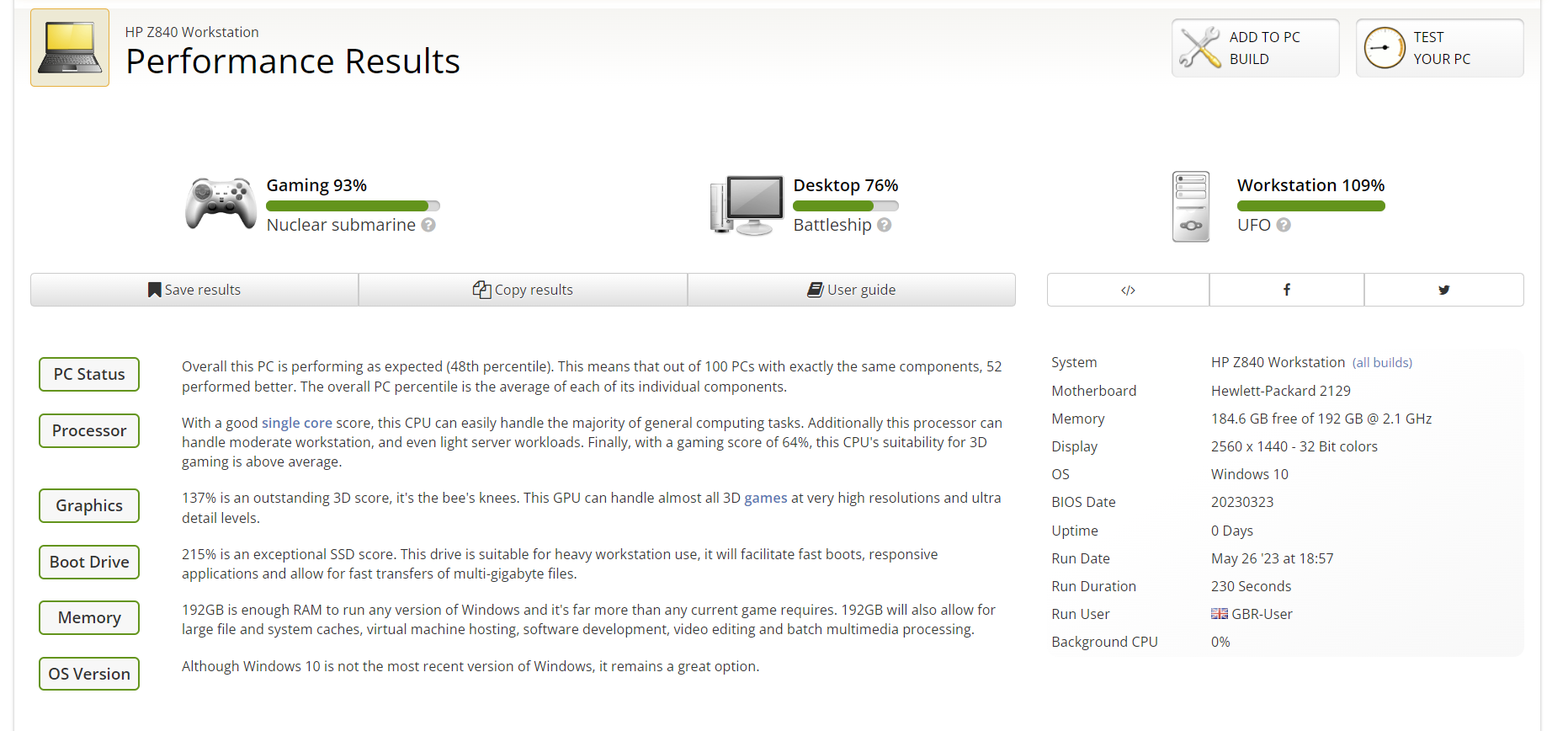
- ub1.PNG (215.72 KiB) Viewed 41517 times
Re: What's your current hardware build?
Posted: Mon Jun 05, 2023 3:32 am
by g0tht3ch
Bit of a test with V-Ray.
V-Ray CPU only, scored 18,524. I noticed all cores went to 100% and it seemed to lock frequency to 2.60Ghz.
V-Ray GPU CUDA - RTX A4000 only scored 1287. RTX A4000 + CPUs scored 1734.
V-Ray GPU RTX - RTX A4000 only scored 1594.
Re: What's your current hardware build?
Posted: Mon Jun 05, 2023 9:46 pm
by stormsonweathers
Those are some great numbers! Don't think you have to worry too much about performance anytime soon.
Re: What's your current hardware build?
Posted: Tue Jun 25, 2024 10:32 am
by g0tht3ch
Just updated - now running E5-2699v4 (previously v3) and 256GB 2400MHz RAM up from 192GB 2133MHz RAM.
Cinebench:

- 1a.PNG (38.28 KiB) Viewed 40685 times
Timespy:

- 2a.PNG (663.71 KiB) Viewed 40685 times

- 3a.PNG (108.46 KiB) Viewed 40685 times
Cinebench is WAY up. Not sure why Timespy is "down" but this is a "default run" for the minute.
Re: What's your current hardware build?
Posted: Tue Jun 25, 2024 10:54 am
by g0tht3ch
Ah, Intel chipset drivers "unloaded".
Reloaded and now Cinebench is giving me 32483
Will re-run Timespy